
Details
DRM: Digitales Wasserzeichen
Weitere Details
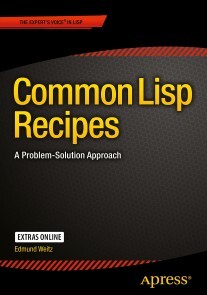
Common Lisp Recipes
eBook - A Problem-Solution Approach, Professional and Applied Computing (R0)
Beschreibung
Findsolutions to problems and answers to questions you are likely to encounter whenwriting real-world applications in Common Lisp. This book covers areas asdiverse as web programming, databases, graphical user interfaces, integrationwith other programming languages, multi-threading, and mobile devices as wellas debugging techniques and optimization, to name just a few.
Written by anauthor who has used Common Lisp in many successful commercial projects overmore than a decade,Common Lisp Recipesis also the first Common Lispbook to tackle such advanced topics as environment access, logical pathnames,Gray streams, delivery of executables, pretty printing, setf expansions, orchanging the syntax of Common Lisp.
Thebook is organized around specific problems or questions each followed byready-to-use example solutions and clear explanations of the concepts involved,plus pointers to alternatives and more information. Each recipe can be readindependently of the others and thus the book will earn a special place on yourbookshelf as a reference work you always want to have within reach.
Common Lisp Recipes is aimed atprogrammers who are already familiar with Common Lisp to a certain extent butdo not yet have the experience you typically only get from years of hacking ina specific computer language. It is written in a style that mixes hands-onno-frills pragmatism with precise information and prudent mentorship.
If you feel attractedto Common Lisp's mix of breathtaking features and down-to-earth utilitarianism,you'll also like this book.
Über Edmund Weitz
Inhalt
2. Conses, Lists, and Trees
3. Strings and Characters
4. Numbers and Math
5. Arrays and Vectors
6. Hash Tables, Maps, and Sets
7. Sequences and Iteration
8. The Lisp Reader
9. Printing
10. Evaluation, Compilation, Control Flow
11. Concurrency
12. Error Handling and Avoidance
13. Objects, Classes, Types
14. I/O: Streams and Files
15. Pathnames, Files, Directories
16. Developing and Debugging
17. Optimization
18. Libraries
19. Interfacing with Other Languages
20. Graphical User Interfaces
21. Persistence
22. The World Outside
E-Book Informationen
Alle hier erworbenen E-Books können Sie in Ihrem Kundenkonto in die kostenlose PocketBook Cloud laden. Dadurch haben Sie den Vorteil, dass Sie von Ihrem PocketBook E-Reader, Ihrem Smartphone, Tablet und PC jederzeit auf Ihre gekauften und bereits vorhandenen E-Books Zugriff haben.
Um die PocketBook Cloud zu aktivieren, loggen Sie sich bitte in Ihrem Kundenkonto ein und gehen dort in den Bereich „E-Books“. Setzen Sie hier einen Haken bei „Neue E-Book-Käufe automatisch zu meiner Cloud hinzufügen.“. Dadurch wird ein PocketBook Cloud Konto für Sie angelegt. Die Zugangsdaten sind dabei dieselben wie die Ihres Kundenkontos in diesem Webshop.
Weitere Informationen zur PocketBook Cloud finden Sie unter www.meinpocketbook.de.
Allgemeine E-Book-Informationen
E-Books in diesem Webshop können in den Dateiformaten EPUB und PDF vorliegen und können ggf. mit einem Kopierschutz versehen sein. Sie finden die entsprechenden Informationen in der Detailansicht des jeweiligen Titels.
E-Books ohne Kopierschutz oder mit einem digitalen Wasserzeichen können Sie problemlos auf Ihr Gerät übertragen. Sie müssen lediglich die Kompatibilität mit Ihrem Gerät prüfen.
Um E-Books, die mit Adobe DRM geschützt sind, auf Ihr Lesegerät zu übertragen, benötigen Sie zusätzlich eine Adobe ID und die kostenlose Software Adobe® Digital Editions, wo Sie Ihre Adobe ID hinterlegen müssen. Beim Herunterladen eines mit Adobe DRM geschützten E-Books erhalten Sie zunächst eine .acsm-Datei, die Sie in Adobe® Digital Editions öffnen müssen. Durch diesen Prozess wird das E-Book mit Ihrer Adobe-ID verknüpft und in Adobe® Digital Editions geöffnet.
Bei E-Books die mit Readium LCP geschützt sind erscheint bei dem ersten Öffnen auf ihrem Reader ein Hinweisfenster mit der Aufforderung ein Passwort einzugeben. Gleichzeitig öffnet sich ein Infofeld in dem das Passwort steht. Tragen Sie dieses Passwort in das Eingabefeld ein und bestätigen Sie die Eingabe. Danach öffnet sich das E-Book automatisch. Um E-Books die mit Readium LCP geschützt sind auf einem Tablet/Laptop/Smartphone lesen zu können, benötigen Sie ein Programm, das in der Lage ist, mit diesem Kopierschutz umzugehen. Das ist z.B. der Thorium Reader (Windows, Mac, Linux) oder die PocketBook App (iOS, Android). Fügen Sie das heruntergeladene E-Book in das Programm ein. Bei dem ersten Öffnen erscheint ein Hinweisfenster mit der Aufforderung ein Passwort einzugeben. Gleichzeitig öffnet sich ein Infofeld in dem das Passwort steht. Tragen Sie dieses Passwort in das Eingabefeld ein und bestätigen Sie die Eingabe. Danach öffnet sich das E-Book automatisch