
Details
DRM: Adobe DRM
Weitere Details
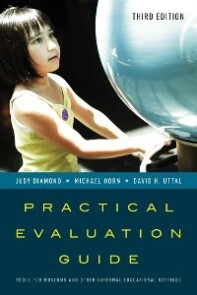
Practical Evaluation Guide
eBook - Tools for Museums and Other Informal Educational Settings, American Association for State and Local History
Beschreibung
Evaluation is essential because it allows you to answer critical questions like:
- How can one measure the impacts of educational experiences in a museum, zoo, or aquarium?
- Are digital technologies more effective than traditional exhibits for enhancing visitor interest and understanding?
- How does one measure learning in these informal environments where visitors themselves decide what they will experience?
- Since we know many visitors come to informal institutions for social interaction and play, how does one access these social impacts?
ThePractical Evaluation Guide is an all-in-one resource to guide professionals working in museums and other informal educational institutions. This new edition includes updates throughout and features a brand-new chapter on evaluating digital interactive exhibits. The section on observational tools includes a new section on using video recordings and the section on interviews includes recent studies from countries outside the U.S.
Practical Evaluation Guide serves as a basic, easy-to-follow guide for museum professionals and students who want to understand the effects of such public institutions on the people who visit them.
Über Judy Diamond, Michael Horn, David H Uttal
Michael Stephen Horn is assistant professor of learning sciences and computer science at Northwestern University where he directs the Tangible Interaction Design and Learning Lab. Horn earned a PhD in Human Computer Interaction from Tufts University in 2009 and has been developing innovative technology-based learning experiences for museum and other informal learning environments for over ten year. His research interests involve understanding the role of cultural forms in shaping participating and learning around physical and technological artifacts. He is the author of over 30 scholarly articles and his work can be seen at the Museum of Science, Boston, the California Academy of Sciences, the Field Museum, and the Computer History Museum.
David H. Uttal is professor of psychology and education at Northwestern University. He holds a doctorate in developmental psychology from the University of Michigan, and he is the author of over 50 articles and book chapters. His research interests are in the development of childrens thinking, with a focus on symbolic and spatial reasoning, and his work has been supported by the National Institutes of Health, the National Science Foundation, and the Institute of Education Sciences. At Northwestern he directs the multidisciplinary program in education sciences, which trains graduate students from different disciplines to conduct rigorous research in educational contexts.
E-Book Informationen
Alle hier erworbenen E-Books können Sie in Ihrem Kundenkonto in die kostenlose PocketBook Cloud laden. Dadurch haben Sie den Vorteil, dass Sie von Ihrem PocketBook E-Reader, Ihrem Smartphone, Tablet und PC jederzeit auf Ihre gekauften und bereits vorhandenen E-Books Zugriff haben.
Um die PocketBook Cloud zu aktivieren, loggen Sie sich bitte in Ihrem Kundenkonto ein und gehen dort in den Bereich „E-Books“. Setzen Sie hier einen Haken bei „Neue E-Book-Käufe automatisch zu meiner Cloud hinzufügen.“. Dadurch wird ein PocketBook Cloud Konto für Sie angelegt. Die Zugangsdaten sind dabei dieselben wie die Ihres Kundenkontos in diesem Webshop.
Weitere Informationen zur PocketBook Cloud finden Sie unter www.meinpocketbook.de.
Allgemeine E-Book-Informationen
E-Books in diesem Webshop können in den Dateiformaten EPUB und PDF vorliegen und können ggf. mit einem Kopierschutz versehen sein. Sie finden die entsprechenden Informationen in der Detailansicht des jeweiligen Titels.
E-Books ohne Kopierschutz oder mit einem digitalen Wasserzeichen können Sie problemlos auf Ihr Gerät übertragen. Sie müssen lediglich die Kompatibilität mit Ihrem Gerät prüfen.
Um E-Books, die mit Adobe DRM geschützt sind, auf Ihr Lesegerät zu übertragen, benötigen Sie zusätzlich eine Adobe ID und die kostenlose Software Adobe® Digital Editions, wo Sie Ihre Adobe ID hinterlegen müssen. Beim Herunterladen eines mit Adobe DRM geschützten E-Books erhalten Sie zunächst eine .acsm-Datei, die Sie in Adobe® Digital Editions öffnen müssen. Durch diesen Prozess wird das E-Book mit Ihrer Adobe-ID verknüpft und in Adobe® Digital Editions geöffnet.
Bei E-Books die mit Readium LCP geschützt sind erscheint bei dem ersten Öffnen auf ihrem Reader ein Hinweisfenster mit der Aufforderung ein Passwort einzugeben. Gleichzeitig öffnet sich ein Infofeld in dem das Passwort steht. Tragen Sie dieses Passwort in das Eingabefeld ein und bestätigen Sie die Eingabe. Danach öffnet sich das E-Book automatisch. Um E-Books die mit Readium LCP geschützt sind auf einem Tablet/Laptop/Smartphone lesen zu können, benötigen Sie ein Programm, das in der Lage ist, mit diesem Kopierschutz umzugehen. Das ist z.B. der Thorium Reader (Windows, Mac, Linux) oder die PocketBook App (iOS, Android). Fügen Sie das heruntergeladene E-Book in das Programm ein. Bei dem ersten Öffnen erscheint ein Hinweisfenster mit der Aufforderung ein Passwort einzugeben. Gleichzeitig öffnet sich ein Infofeld in dem das Passwort steht. Tragen Sie dieses Passwort in das Eingabefeld ein und bestätigen Sie die Eingabe. Danach öffnet sich das E-Book automatisch